musopana
Menu
Now in beta · Built around your day

Your muse for the next healthy step.

Train with purpose. Keep track of what you eat. Bring more of your healthy day together, one achievable step at a time.

Your day. Your next step.Preview of Musopana meal planning with example lunches

Meal planning preview · not yet available to beta users

New in the mobile beta

From a plan to a day you can follow.

Workouts, food and progress belong in the same picture. The new beta brings meal logging alongside your training. Meal planning is in private testing while we expand the recipe catalogue.

01 / Keep a useful record

Lunch changed. Your diary can too.

Log what you actually ate, correct a portion and see your calorie balance. Switch macro views, track water and revisit recent entries without losing the rest of your day.

A clear record, without pretending missing nutrition is zero.
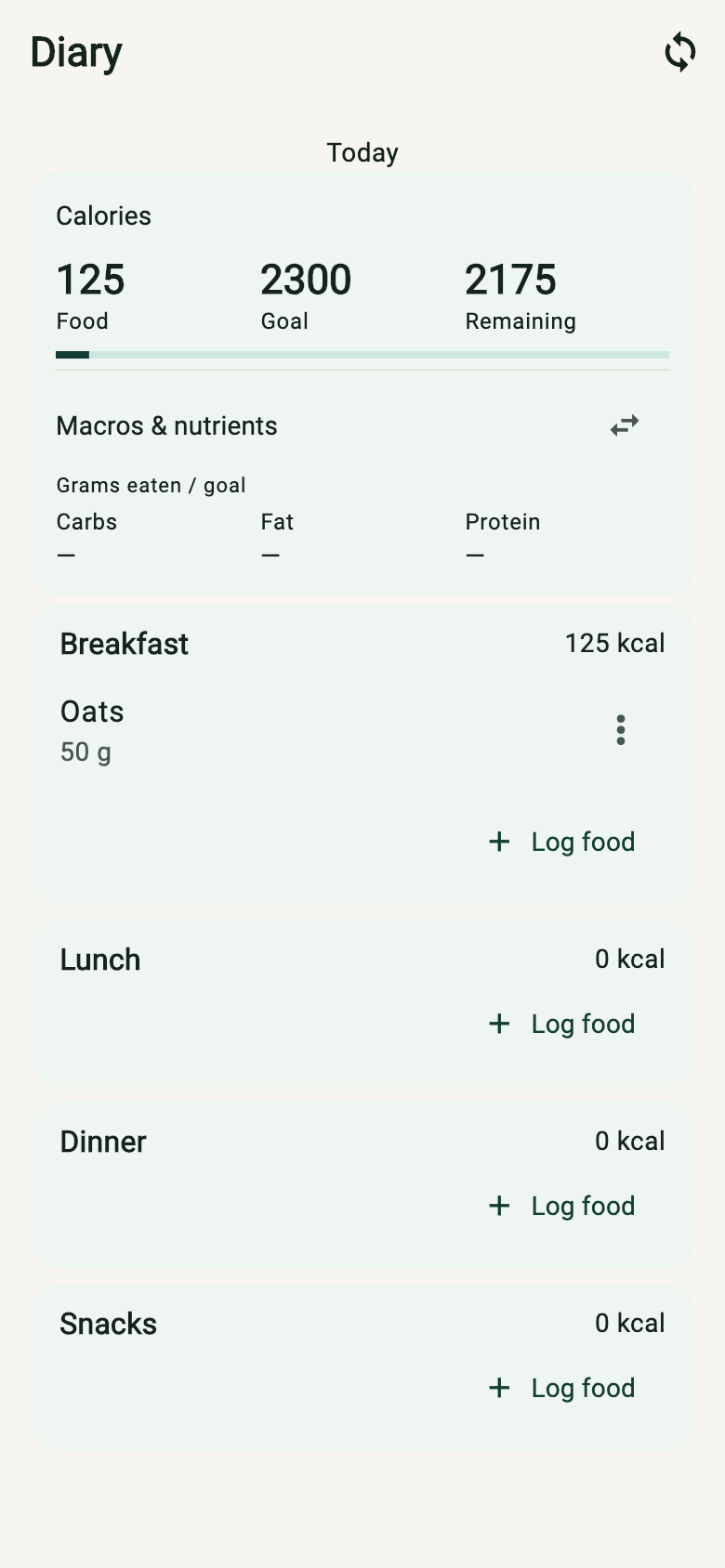
Musopana Diary with an example breakfast, calorie goal and meal sections
Current Diary components · synthetic food entry
02 / Coming soon · meal planning

Make lunch one less daily decision.

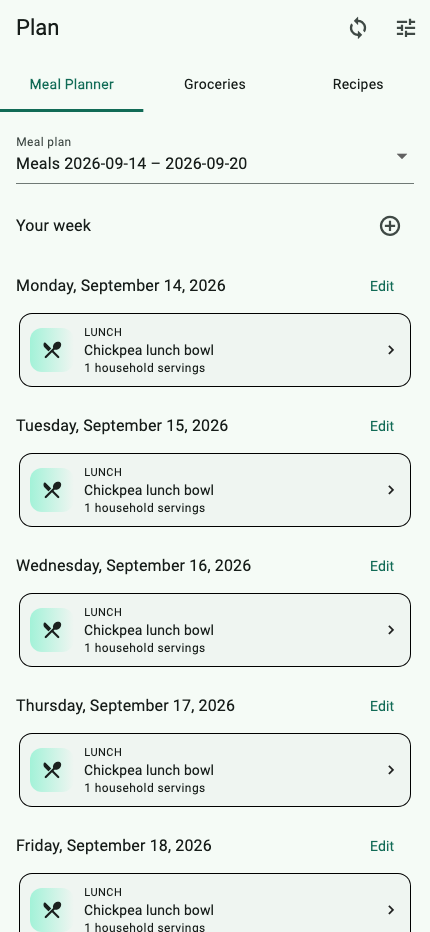
Choose meals for the week from available recipes, set household servings and review your plan by day. Planning a meal does not mark it as eaten; your diary records what actually happens.

Plan for the household. Record your own portions.

Meal Planner with example lunches arranged by day
Private preview · synthetic example week
03 / Planning preview · groceries

Check the cupboard before the shop.

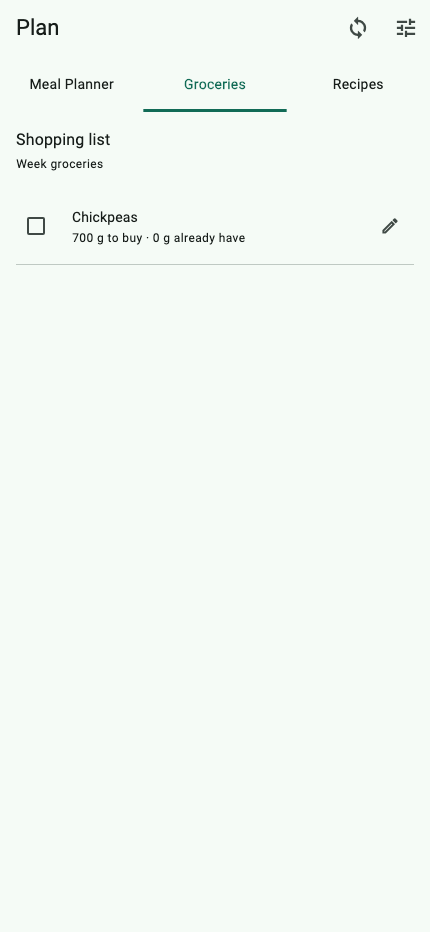
Build a grocery list from your meal plan. Record what you already have, see what remains to buy and sync changes across your signed-in devices.

One list that reflects the plan and your cupboard.

Musopana Groceries showing required quantities with already-have and to-buy controls
Planning preview · synthetic ingredients

Illustrative scenarios, not testimonials or dietary recommendations. Screens use synthetic data rendered from the released app code. Food and recipe coverage is growing. New meal-plan creation is restricted to private testing; food logging and existing plans remain available. iOS build 26 is available to Founding Testers; Android build 10 has been submitted for open-beta review. Your store may offer the earlier version until review completes.

Your healthiest next step

Keep your training moving.

Explore five training scenarios, from finding time to keeping the work you actually did. These walkthroughs show an earlier beta interface.

Real app screens
Illustrative scenarios

Priya · ready to train

“Help me focus on the next set.”

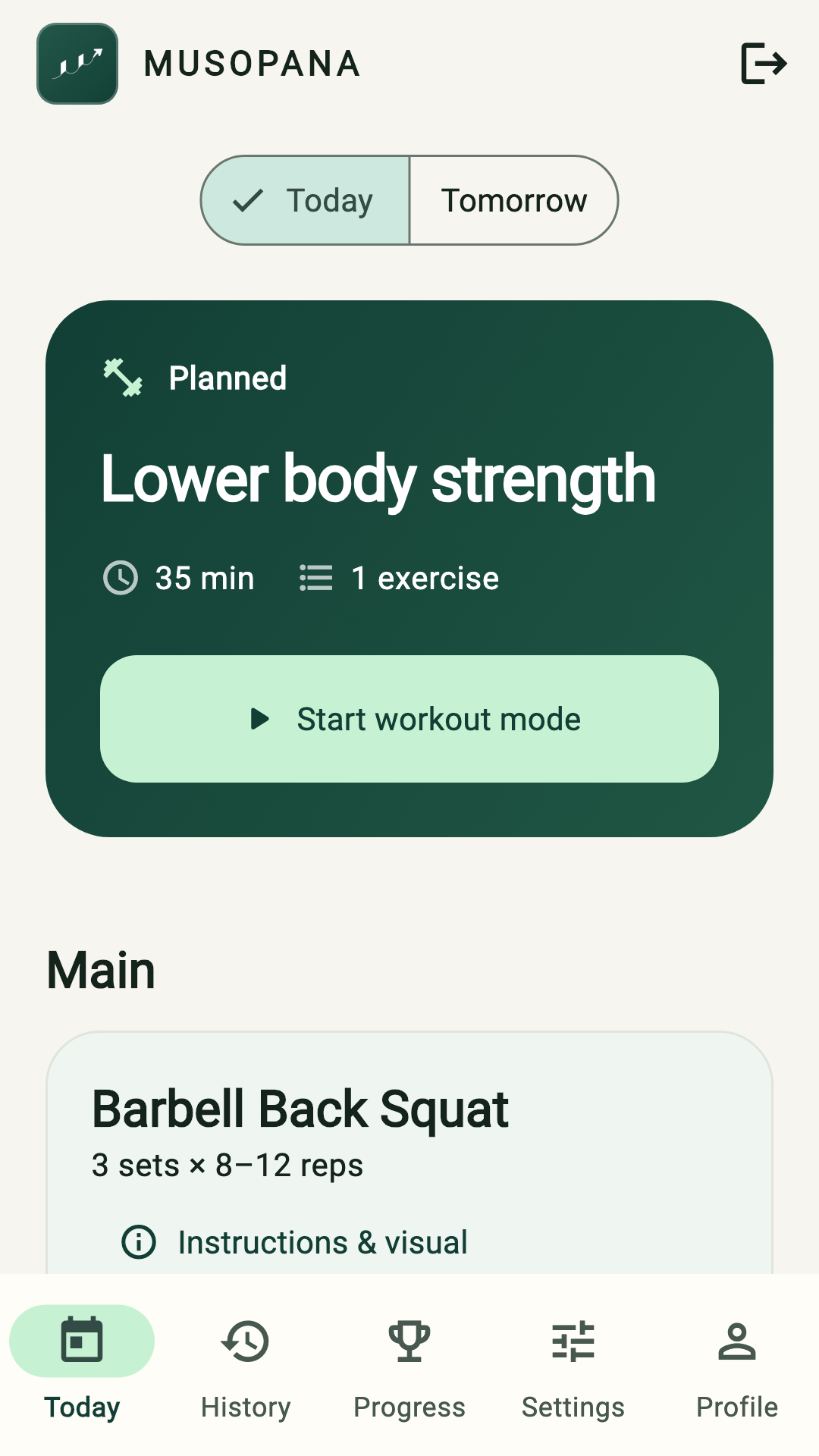
Priya has a workout plan. In the middle of training, she wants one clear action at a time, without juggling a separate stopwatch and notes.

Follow the app flow

  1. Start the workout and see the overall clock.
  2. Start and stop the active exercise’s set timer.
  3. Confirm actual repetitions and save the set.
  4. Move to the next set, with optional rest.
The next healthy step

Less to manage. One saved set, and a clear next action.

Representative use cases, not customer testimonials. Recorded walkthroughs use synthetic accounts and an earlier app interface; the beta’s appearance has since evolved. The connected-day tab also shows an earlier beta screen. These are product demonstrations, not workouts to follow.

One set at a time

An overall workout clock, a timer for the active set, and optional rest after saving.

Read the walkthrough

The user starts the workout, then starts and stops the first bench-press set. They save eight repetitions. The app confirms one set saved and brings the next set into focus with optional rest.

Silent excerpt · plays at 2× by default · Open video

Join the founding testers

Your next step starts here.

First request a Musopana invitation, then install the beta for your phone. A TestFlight or Google Play testing link installs the app; it does not approve your Musopana account.

Available now

iPhone beta

Install Apple’s TestFlight app, join Founding Testers, then install Musopana and sign in with your invited email.

Join on TestFlight
Open beta · Available now

Android beta

Join the open beta with your Google account, then install Musopana securely through Google Play. No tester email list is required.

Android 9 or newer. Health Connect availability varies by device.
Join the Android beta
Available now · invited accounts

Prefer the web?

Open your plans, record workouts and review your history in the browser. Wearable connections and phone health permissions are set up in the mobile app.

Open the web app

Already invited? Use that same account on your devices. Need a hand? Get beta support.

Our journey · October 2026

Built. Being tested.
Still to come.

We’re building a practical health companion, starting with a workout you can actually do today. Here’s where that journey stands.

01 / In the current beta

Training and food, together

  • Setup around your goals, equipment and preferred training window.
  • Rolling workout dates, guided sets, partial workouts and goal-based progress charts.
  • Optional Apple Health or Health Connect summaries, calendar availability and compatible live heart rate.
  • Private friends and teams: agree on a shared workout and record your own progress.
  • Optional Food Diary, water logging and recipes in the new mobile beta. Existing meal plans and grocery lists remain available.
02 / What we’re refining

A plan that earns your trust

  • Opt-in same-day adjustments, with an explanation of what changed and why.
  • A growing food and recipe catalogue, with clearer nutrition coverage.
  • A smoother, more consistent experience across iPhone, Android and web.

Beta feedback shapes what we improve next.

03 / Our direction

More of your healthy day

  • Richer goals and longer-term planning.
  • Deeper connections to your chosen device, with clear source and permission controls.
  • Adaptive meal and workout planning informed by your goals and the day you actually have.

Planned directions, not release promises. A fully autonomous weekly health coach is not live.

Why Musopana

A muse for your next small step.

Musopana is a word we coined for the way lasting health actually grows: through useful guidance and achievable progress, one step at a time.

MuseEnglish · guidance and inspiration
μ · mikrósGreek · small and incremental
SopānaSanskrit · a step or stairway

It is not a literal translation from any one language. It is our name for a guide that helps you choose the next healthy action you can genuinely take.

Beta FAQ

Useful answers, without the fine print.

Who can use Musopana today?

Musopana is in beta and account access is invitation-only. Request access above; an administrator reviews each request. You do not receive a sign-in code or an invitation immediately after submitting a request.

What does Musopana do with my training information?

It uses your fitness preferences, planned sessions, and the results you record to provide and adapt your fitness guidance. See our for the current pilot details.

How is exercise content reviewed?

New and revised exercise content is reviewed before publication. Older pilot catalog entries are being progressively curated. AI-supported research is checked through validation and human review.

Can Musopana plan all my meals automatically?

Food logging is available in the new mobile beta. Creating meal plans is in private testing while we expand recipe coverage. Existing plans and grocery lists remain available. Broader AI-driven weekly planning that adapts meals and training together is our next direction, not a promise of the current beta.

Which devices can I connect?

Apple Watch live heart rate works with the iPhone companion. WHOOP can send live heart rate through Bluetooth Heart Rate Broadcast on iPhone and Android. Fitbit and Garmin setup guides help you share supported data through your phone’s health store; available metrics depend on the model and companion app. Direct Fitbit/Garmin cloud sign-in and live heart rate on every model are not promised.

Will my plan or calendar change automatically?

Automatic plan adjustments are opt-in and use the information you choose to share. They work within the current day and protect workouts already started. You can inspect the reason and restore the original plan. Calendar sharing and workout-event creation have separate controls. This is not an always-on weekly rescheduling service.

Is Musopana medical advice?

No. Musopana provides general wellness and fitness guidance, not medical diagnosis or treatment. Seek qualified care for medical concerns.

How do I sign in?

Use your invited email address. Email codes and configured passwords are supported; Apple and Google sign-in depend on your platform; a verified invited provider email or valid shareable code can admit a new account. Existing accounts require their own sign-in before linking another provider. Installing a beta app does not create an invitation.

Help shape the beta

Take your next healthy step.

Try it in your real routine. Tell us what helps, what gets in the way, and what would make tomorrow easier.

Invitation-only pilot

Request an invitation

Tell us where to reach you. An administrator reviews every pilot request. No email is sent until your request is approved.